
Bloomberg Requests
The data requests on your Bloomberg account, read live from Bloomberg: when each was issued and last ran, which securities it covers and which fields it asks for.
Administrators only, like the rest of the Bloomberg pages, and only once Bloomberg credentials are saved — see Bloomberg Connection. Without saved credentials the connection dialog opens and the list stays empty until you save them.
Opening the page
- Click your avatar at the bottom of the left rail and choose Settings.
- Under DATA, select Bloomberg, then Requests.
/setting/bloomberg/requests
The list
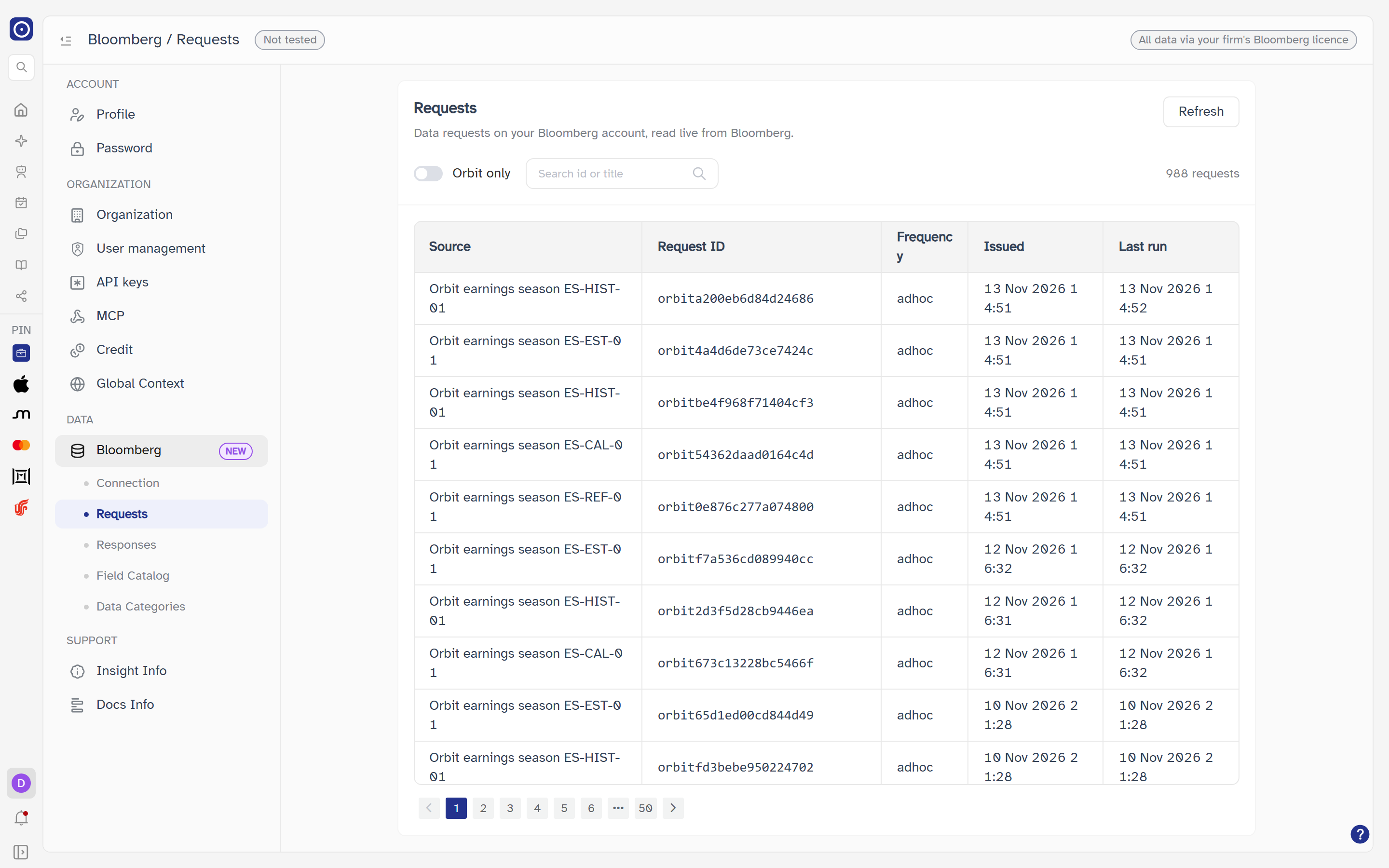
The card is headed Requests — Data requests on your Bloomberg account, read live from Bloomberg. It lists 20 requests a page, with page controls under the table when there is more than one page.
| Column | Meaning |
|---|---|
| Source | The request's title. A request with none reads (untitled). |
| Request ID | Bloomberg's identifier for the request. |
| Frequency | How often the request is set to run, as Bloomberg reports it; — when it has none. |
| Issued | When the request was created, as D MMM YYYY HH:mm. |
| Last run | When it last ran, in the same form. |
While loading the table reads Loading…; with no match it reads No requests match; if the list cannot be fetched the card reads Failed to load requests with a Retry button.
Finding requests
| Control | What it does |
|---|---|
| Refresh | Reads the list again from Bloomberg. Disabled while loading. |
| Orbit only | A switch. When on, only requests whose Request ID starts with orbit (any capitalisation) are listed. |
| Search id or title | Matches what you type against the Request ID and the title, ignoring capitalisation. Up to 100 characters. The list updates shortly after you stop typing, and returns to page 1. The clear button empties it. |
| Count | Beside the controls: N requests, or 1 request. |
With neither Orbit only nor a search, Orbit asks Bloomberg for one page at a time. As soon as you filter, it has to read all of the account's requests and filter them itself, which can take a few seconds. A line above the table says so — Filtering scans all requests live from Bloomberg — this may take a few seconds. If the scan stopped before it had read everything it adds Results may be incomplete (scan stopped early), and the count can be lower than the true number.
Opening a request
Click anywhere on a row to open a drawer on the right, headed by the Request ID with the
title beneath it ((untitled) if there is none). It has three tabs, and each tab
loads only when you open it. Closing the drawer discards anything still loading.
Overview
The default tab. If it cannot load it reads Failed to load request with a Retry button; a part that fails on its own reads Unavailable while the rest still shows.
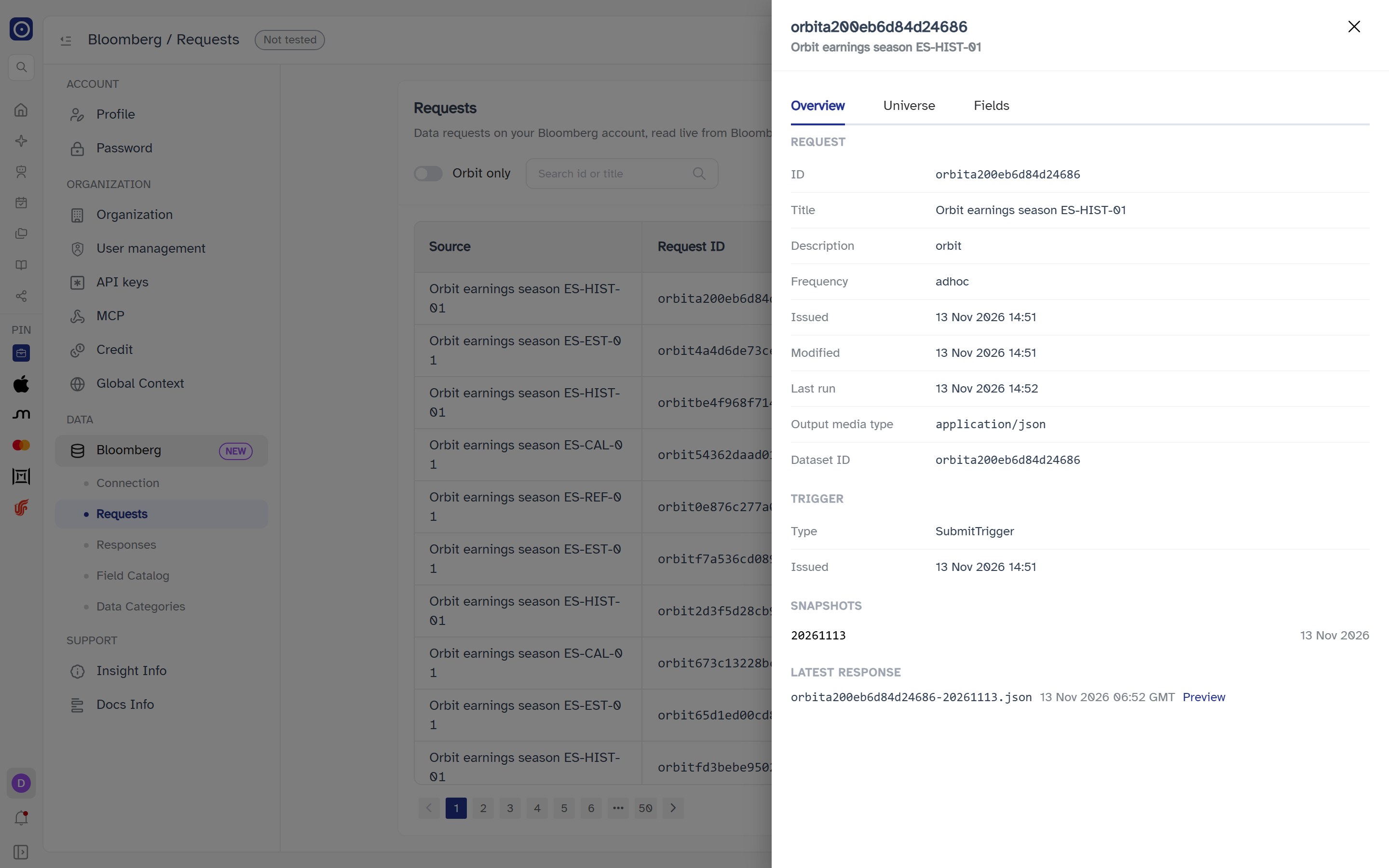
| Section | What it shows |
|---|---|
| Request | ID, Title ((untitled) when empty), Description, Frequency, Issued, Modified, Last run, Output media type and Dataset ID. A value Bloomberg does not give reads —. |
| Trigger | What starts the request: its Type and when it was Issued. No trigger when it has none. |
| Snapshots | Each snapshot's ID and date. When there are more than shown, a line reads Showing N of M snapshots. No snapshots when there are none. |
| Latest response | The newest response file for the request, with its time (and time zone when Bloomberg gives one) and a Preview link. When Bloomberg no longer holds one: No response file available (Bloomberg retains files ~1 day). |
Preview closes the drawer and opens the Responses page with that file's preview already open. If the file has expired in the meantime Responses says so instead.
Universe
The securities the request covers, 20 a page, with a total and page controls when there are more than 20. It reads No securities when empty and Failed to load universe with Retry on failure.
| Column | Meaning |
|---|---|
| Identifier type | The kind of identifier used for the security. |
| Identifier | The identifier itself. |
| Overrides | Any overrides applied to that security, one per line as mnemonic = value; — when there are none. |
Fields
The fields the request asks for, 20 a page. No fields when empty, Failed to load fields with Retry on failure.
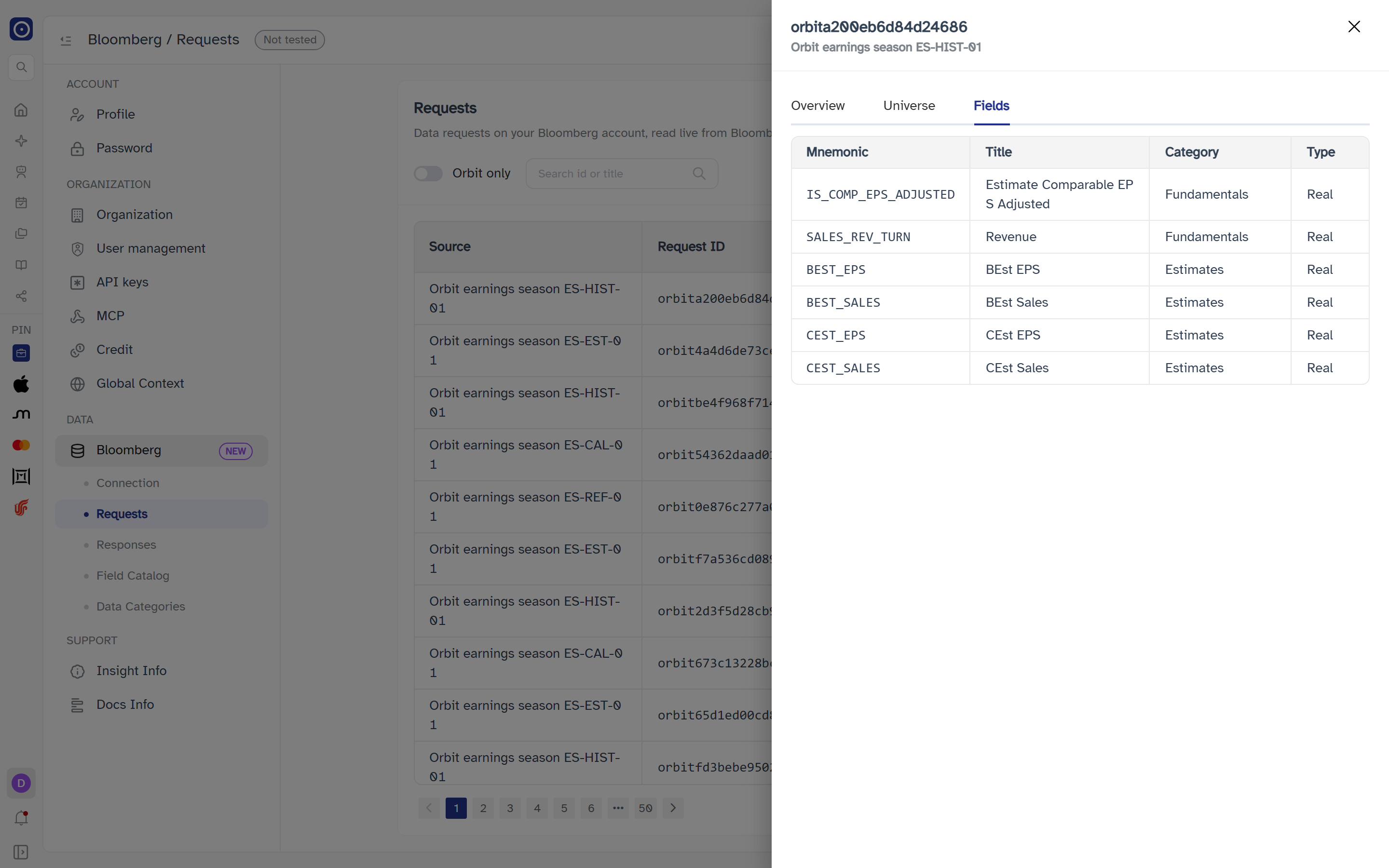
| Column | Meaning |
|---|---|
| Mnemonic | The field's short name. |
| Title | The field's title. |
| Category | Its category. |
| Type | Its data type. |
To look a field up in the full catalog, use Field Catalog.
Where the page leads
| From | To |
|---|---|
| Preview, under Latest response | Bloomberg Responses, with that file open |
| Setting up credentials | Bloomberg Connection |