
Organization
Your organisation's public details, and the list of everyone who belongs to it.
Organization is only available to organisation administrators. If you do not have the required permission the entry does not appear in the settings menu, and opening the page directly returns you to Profile.
Opening the page
- Click your avatar at the bottom of the left rail and choose Settings.
- Under ORGANIZATION, select Organization.
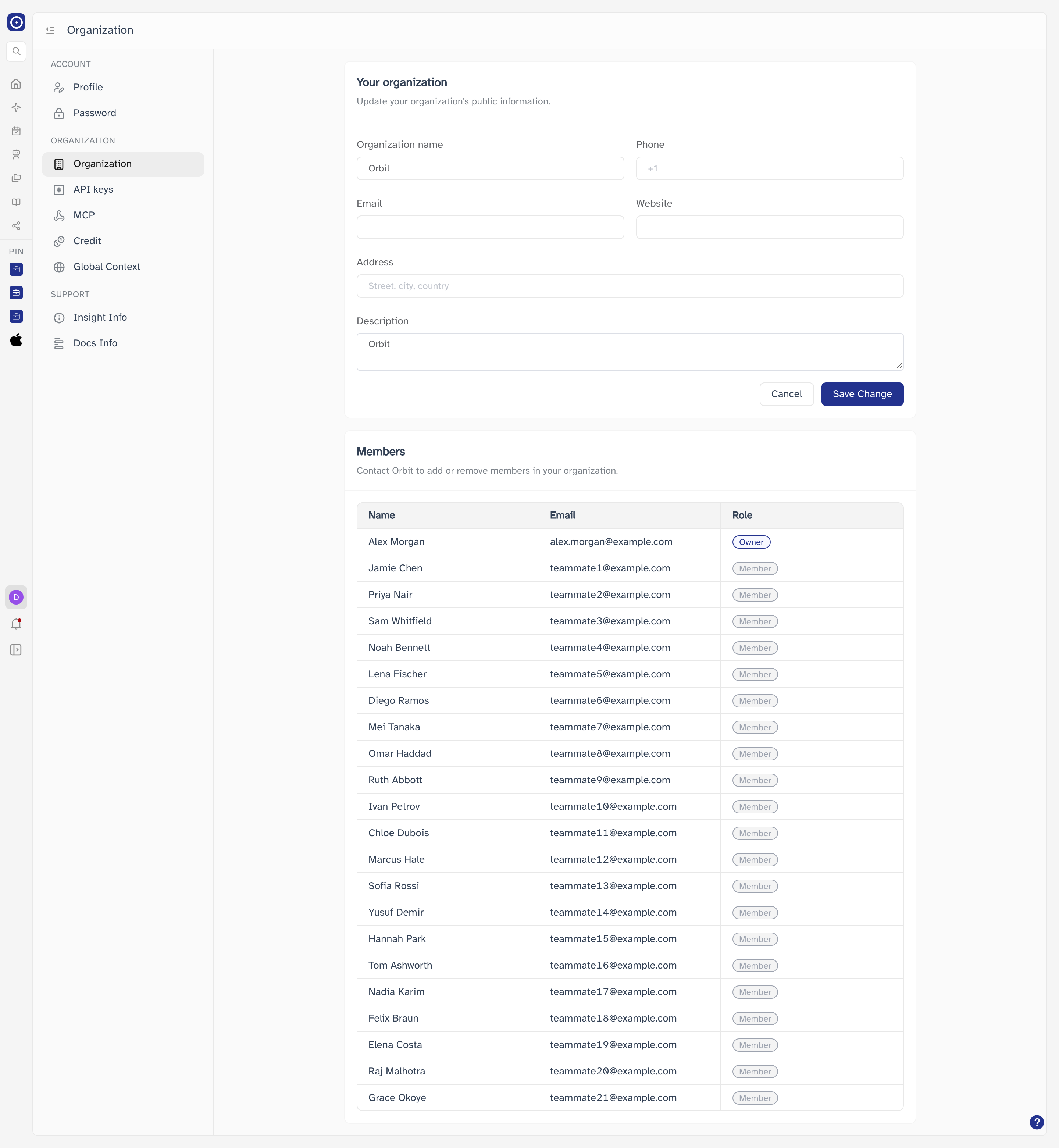
Your organization
These details describe your organisation inside Orbit. Edit any field and click Save Change.
| Field | Notes |
|---|---|
| Organization name | The name shown wherever Orbit refers to your organisation. |
| Phone | Contact number, including country code. |
| A shared or team address, separate from your personal account email. | |
| Website | Your organisation's web address. |
| Address | Street, city, country. |
| Description | A free-text summary of the organisation. |
Cancel restores every field to the values that were loaded when you opened the page, discarding unsaved edits.
Members
The table lists everyone in your organisation with their name, email address, and role.
| Role | Meaning |
|---|---|
| Owner | The account the organisation belongs to. There is one Owner, shown first in the list. |
| Member | Everyone else in the organisation. |
The member list is read-only. To add someone to your organisation or remove them, contact Orbit — it cannot be done from this page.
To see how credits are being consumed across these members, use Credit.