
Structured data detail
One extracted value, in full — what the agent recorded, the passages it drew on, and those passages highlighted in the original document.
Opening the page
This page has no menu entry. It opens from a single value in the custom agent page.
- Open a custom agent and go to Structured Data.
- Click the value you want to check. Information Details appears.
- Click View to open the first reference, or click one of the page numbers to open that reference instead.
The arrow at the top left returns you to the agent's Structured Data with the same value open, so you can carry on checking the row you were on.
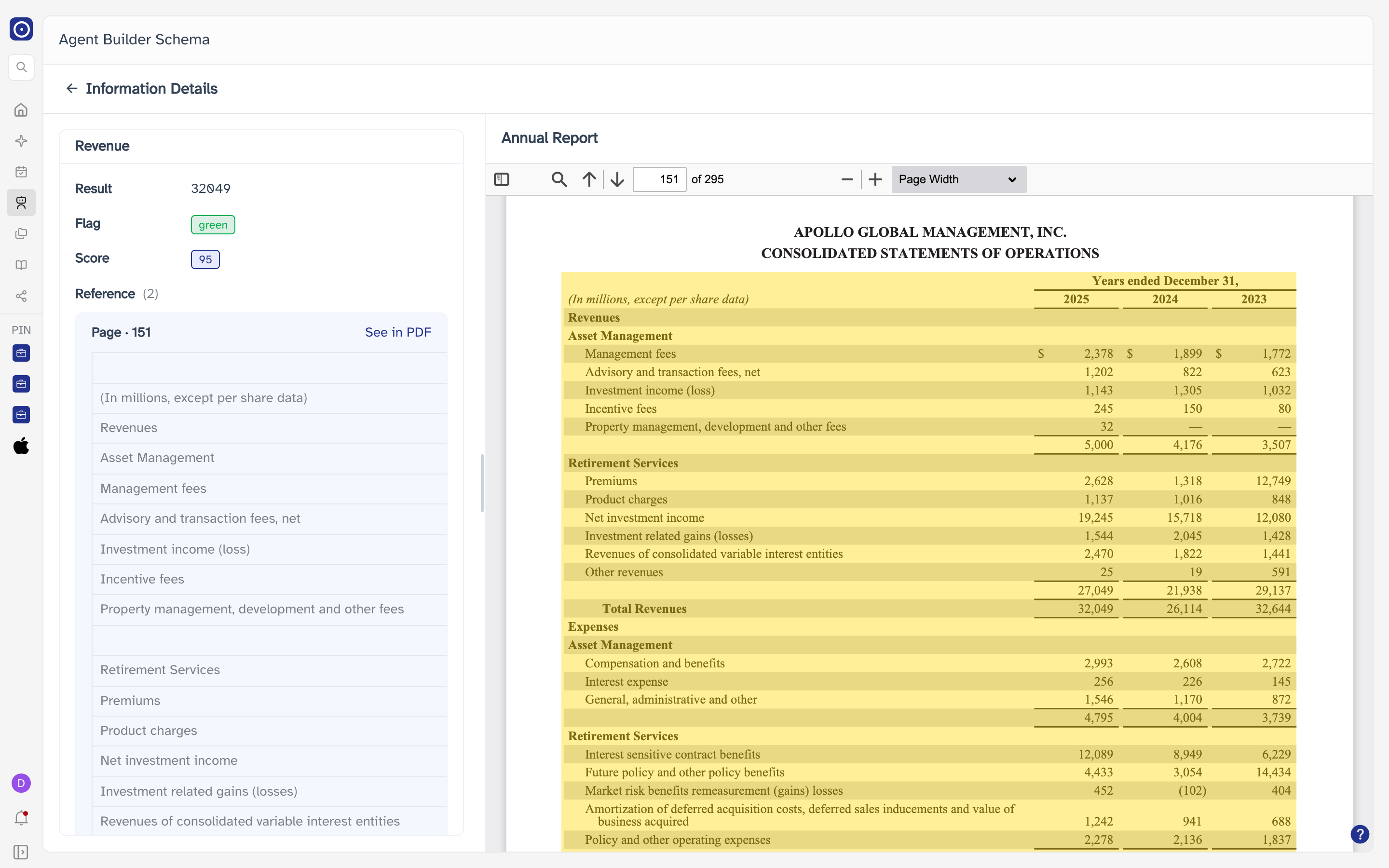
The extracted value
The left side lists everything the agent recorded for this value. The fields depend on the extraction rule, so two values from different rules do not necessarily show the same rows.
| Field | Meaning |
|---|---|
| Score | Shown as a tag when the rule produces one. |
| Flag | Shown as a coloured tag when the rule produces one. |
| Reference | The passages the value was drawn from. The count in brackets is how many there are; with none, this reads N/A. |
| Statement | The agent's own sentence about the value, where the rule produces one. |
References
Each reference is one row, labelled Page · and the page number it came from. The one you arrived at is already expanded. Clicking another row expands it and collapses the one that was open — only one is open at a time.
Reading the source document
The right side loads on its own as the page opens, showing the document behind whichever reference you arrived at — the first one if you came in through View, or the one you picked if you came in through a See in PDF link. It opens at the right page, with the quoted passage highlighted.
To move to another reference:
- Find the reference you want to verify in the list on the left.
- Click See in PDF on that row.
The pane's heading and the viewer's page count both belong to the document currently open, and both change when you switch to a reference drawn from another filing.
A value with no references at all has nothing to show, and the pane reads Click a page number on the left to preview the source PDF instead. That is the exception, not the starting state.
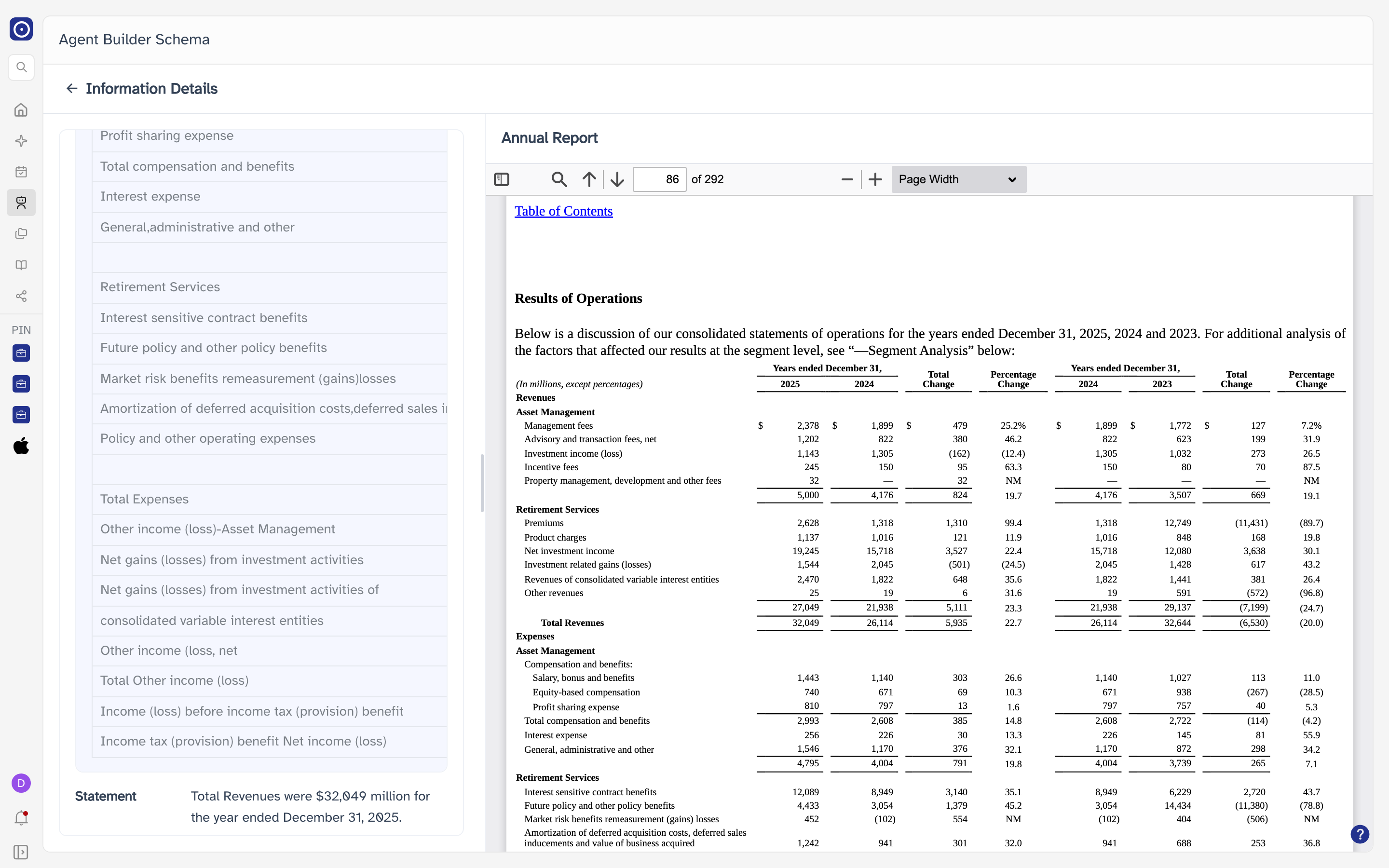
The divider between the two sides can be dragged to give either one more room.