
Company News
Every news story Orbit has collected about one company, newest first, with the date the story was published and the publisher's own opening lines.
Opening the page
- Open the company you want. A company page opens from a pinned company in the left rail, from a company name anywhere else in Orbit, or from a company chip on a portfolio.
- Find the Latest News card — it lists the three most recent stories — and choose View All.
The address carries the company's own identifier, and everything on the page is drawn from it. There is no company switcher here: to read another company's news, go back and open that company instead. Opened without an identifier the table stays empty.
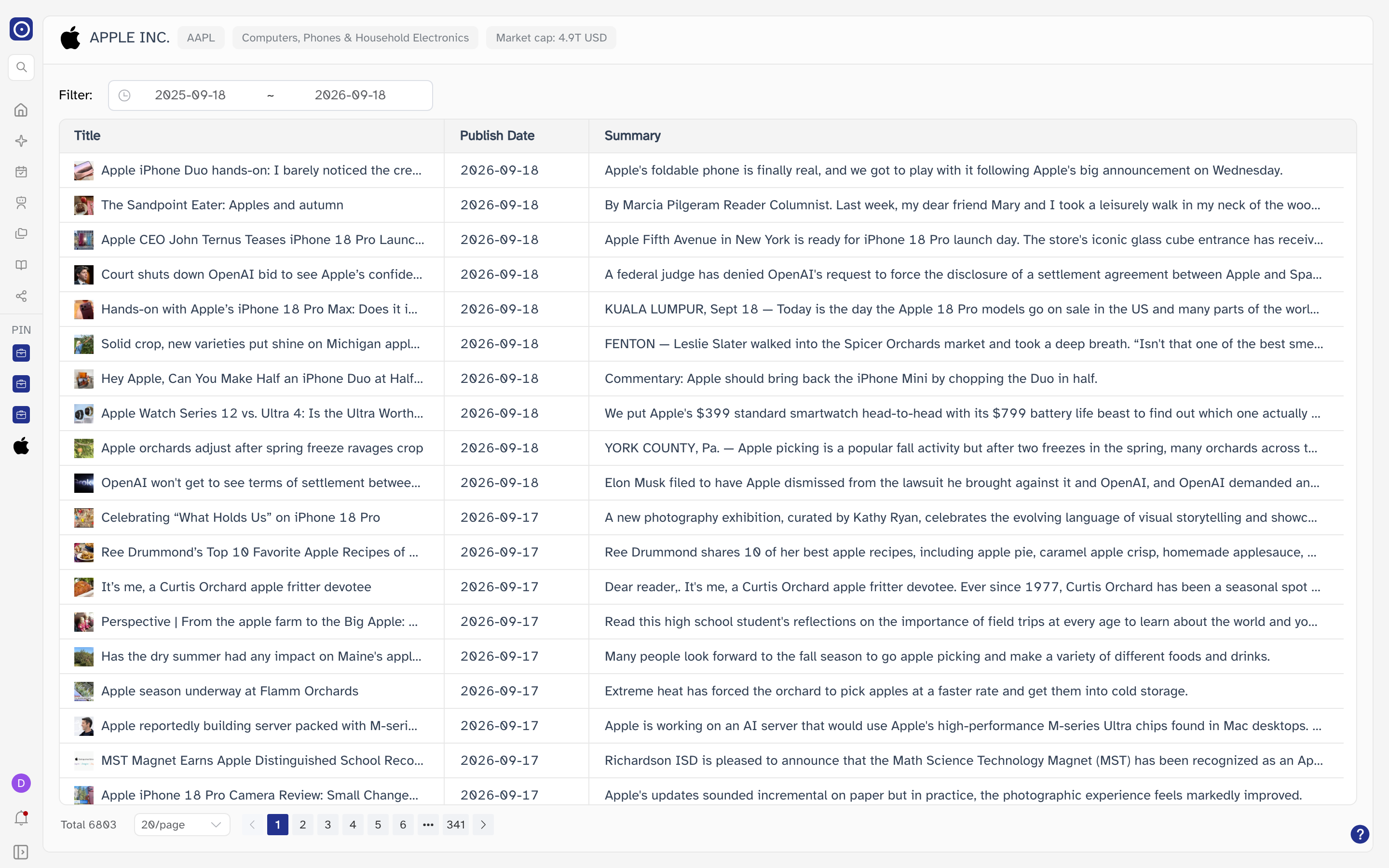
The company header

The strip across the top of the page describes the company in the address, whatever module you are in. Reading left to right: the company's logo and name, then its ticker, the industry Orbit files it under, and its market capitalisation.
| Item | Notes |
|---|---|
| Logo and name | The name as the company record holds it, in capitals. |
| Ticker pill | The exchange ticker, without the exchange prefix. |
| Industry pill | Orbit's own grouping, not the company's own description of itself. |
| Market cap pill | In USD, with T for trillions and B for billions. |
The header is a shared component: the same one appears on Company Report and on the rest of a company's pages. A pill with nothing in it means Orbit does not hold that field for this company — it is not a loading state.
Filtering by date
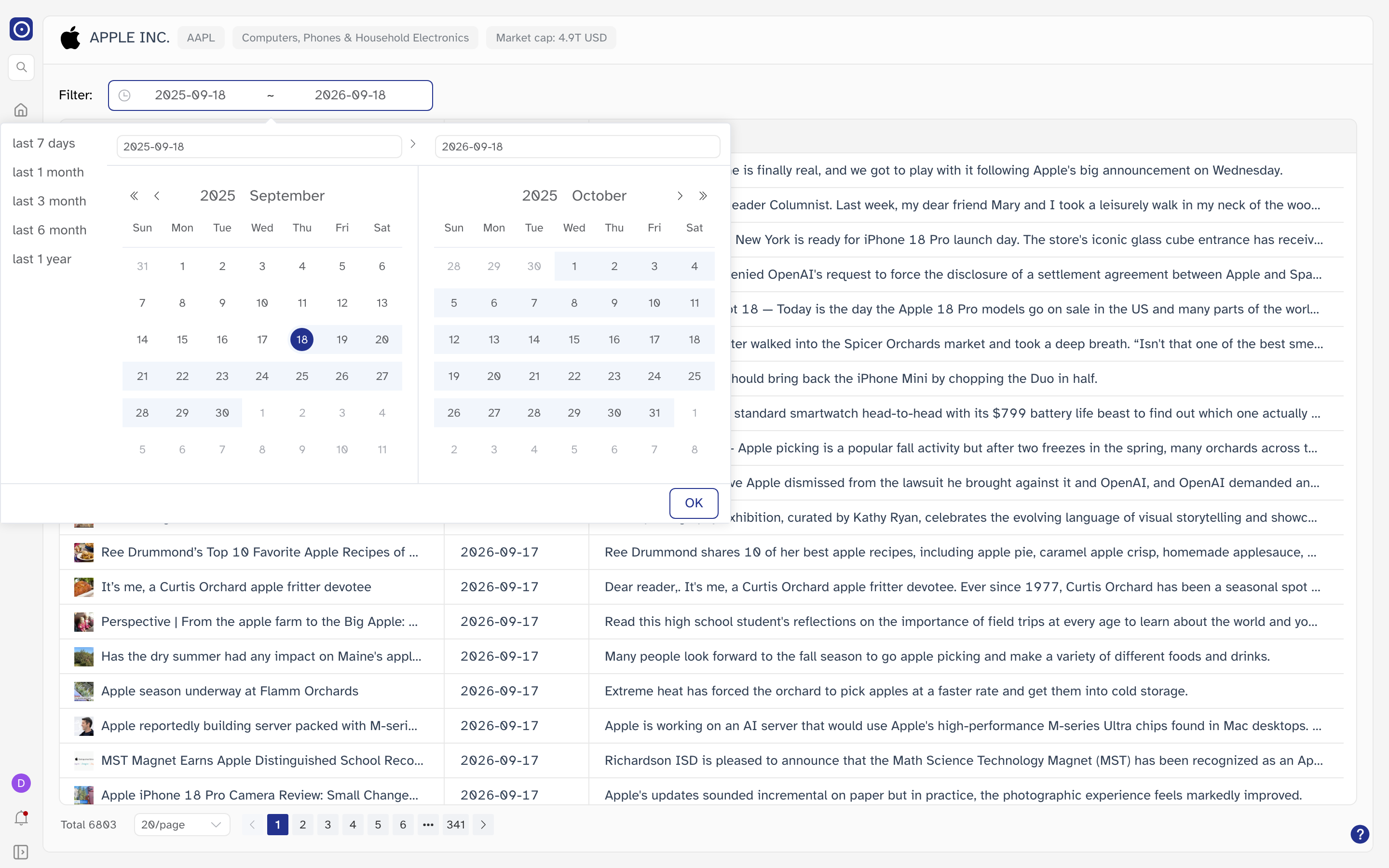
Filter is the only control on the page. It holds a date range, and the list opens on the last 1 year — from the same day a year ago up to today. Pick a start and an end on the two calendars, or take one of the shortcuts down the side: last 7 days, last 1 month, last 3 month, last 6 month, last 1 year. Press OK to run the search again — there is no separate Apply button on this page, and the list goes back to its first page of results.
Once you have picked one end of the range, dates more than a year away from it are greyed out and cannot be chosen, and no date later than today can be picked at all. So a single search can never cover more than twelve months — run the same thing again with an earlier range if you want to look further back.
The news table
| Column | What it holds |
|---|---|
| Title | The publisher's headline, beside a small thumbnail of the article. |
| Publish Date | The day the publisher ran the story, not the day Orbit picked it up. |
| Summary | The publisher's own opening lines, cut off at the width of the column. |
The columns are resizable: drag the divider in the header to give a column more room, and a title or summary too long for its column is truncated rather than wrapped. On a narrow window the table scrolls sideways.
Clicking a headline leaves Orbit and opens the original article in a new browser tab, on whatever site published it. The thumbnail is that publisher's image, and it is fetched from their servers too — so a story can show with a broken image while the headline and summary still read fine.
Moving through the list
The count at the bottom left of the table is every story Orbit holds for this company in the range you chose, not just the ones on screen. 20 are shown at a time by default; the dropdown beside the count switches that to 50 or 100 and returns you to the first page. Between the arrows are the page numbers, with a jump of five pages either way when there are more pages than fit.
A large company can carry several thousand stories in twelve months, and most of them are routine coverage rather than events. Narrow the date range rather than paging — a shorter range is both faster to read and a better answer to "what has been written about this company lately".
Where to go from here
Company Report is the other half of a company's record: the filings, reports and transcripts Orbit holds for it, rather than the news written about it. To read one of those documents rather than the news, see PDF Chat.