
Bloomberg Field Catalog
Bloomberg's catalog of data fields, searched live from Bloomberg. Look a field up by name or description and see what it is, how it is categorised and whether it is retired.
Administrators only, once Bloomberg credentials are saved — see Bloomberg Connection.
Opening the page
- Click your avatar at the bottom of the left rail and choose Settings.
- Under DATA, select Bloomberg, then Field Catalog.
/setting/bloomberg/fields
Searching the catalog
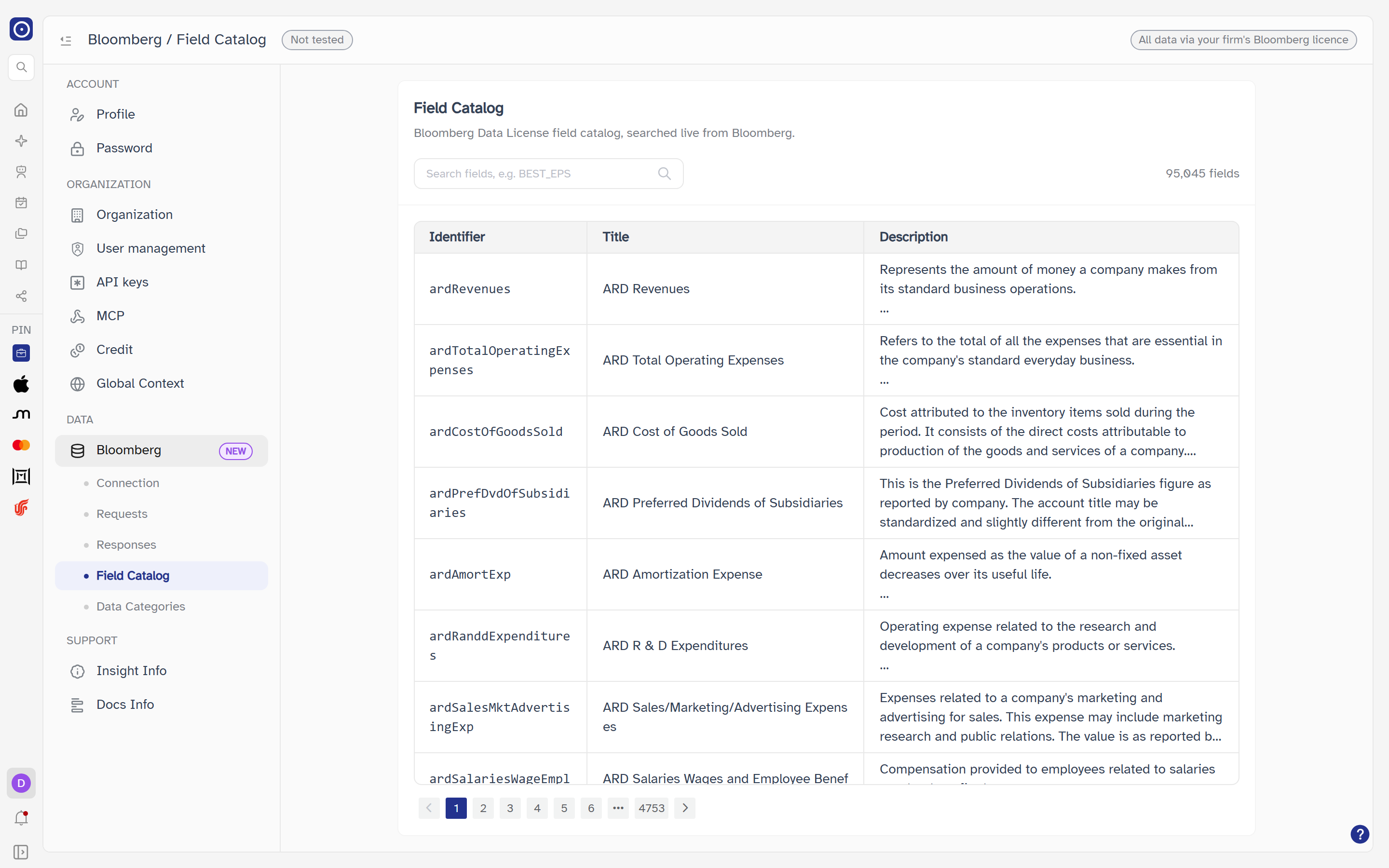
The card is headed Field Catalog — Bloomberg Data License field catalog, searched live from Bloomberg. The catalog is Bloomberg's own, not limited to what your requests use. It lists 20 fields a page, with page controls when there is more than one page.
| Control | What it does |
|---|---|
| Search fields, e.g. BEST_EPS | Sends what you type to Bloomberg, which searches its catalog; Orbit does not filter the results itself. Up to 100 characters. The list updates shortly after you stop typing and returns to page 1. The clear button empties it. |
| Count | Beside the box: N fields with no search, or N matches with one (and 1 field / 1 match). |
| Column | Meaning |
|---|---|
| Identifier | Bloomberg's identifier for the field. |
| Title | The field's title. |
| Description | A longer description. Line breaks are kept and a long one is cut short in the table; the full text is in the field's drawer, and hovering the cell shows it too. |
While loading the table reads Loading…; with nothing found, No fields match; if the search cannot be done the card reads Failed to load fields with a Retry button.
Opening a field
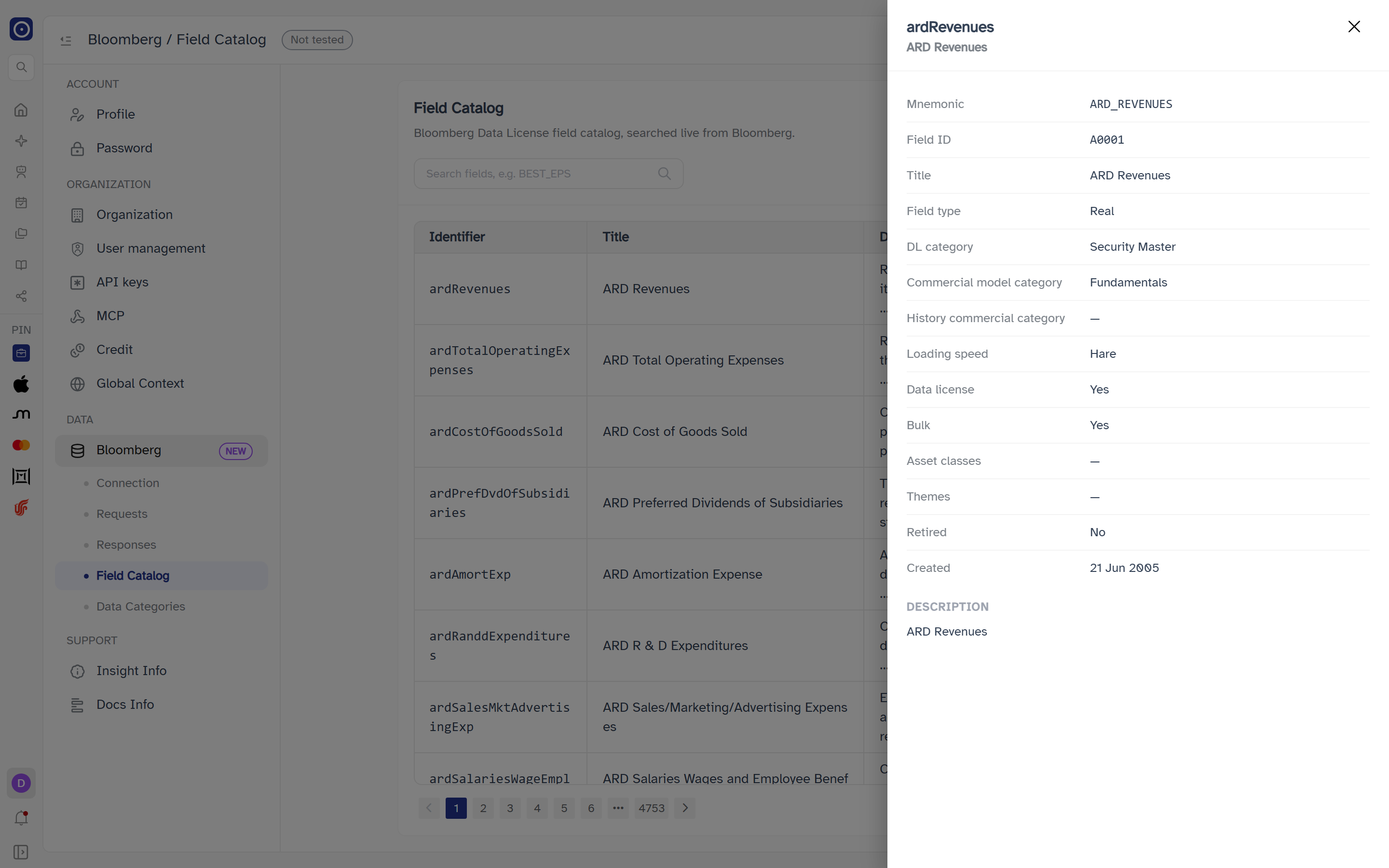
Click a row to open a drawer on the right, headed by the field's identifier with its title beneath it. A field that cannot be loaded reads Failed to load field with a Retry button.
| Row | Meaning |
|---|---|
| Mnemonic | The field's short name. |
| Field ID | Its id on Bloomberg. |
| Title | Its title. |
| Field type | Its data type. |
| DL category | Its Data License category. |
| Commercial model category | The commercial model category Bloomberg files it under — the same grouping Data Categories counts. |
| History commercial category | The commercial model category Bloomberg lists for its historical data. |
| Loading speed | The loading speed Bloomberg lists for it. |
| Data license | Yes or No. |
| Bulk | Yes or No. |
| Asset classes | The asset classes it applies to, separated by commas. |
| Themes | Its themes, separated by commas. |
| Retired | Yes or No. |
| Created | When it was added, as D MMM YYYY. |
A value Bloomberg does not give reads —. Below the table, Description
gives the field's full description, with line breaks kept.
Searching and opening fields only reads from Bloomberg; nothing is changed or stored in Orbit.
Where Bloomberg fields are used
These are the same fields a concept's extraction field can point at in Concept Library, and that Screening agents can pull from Bloomberg.
Where the page leads
| From | To |
|---|---|
| Commercial model category | Counted per category on Bloomberg Data Categories |
| Fields a request asks for | Listed in the Fields tab of a request's drawer |
| Setting up credentials | Bloomberg Connection |