
Without an organisation
If your Orbit account is not part of an organisation, Knowledge Base works the same way, but every knowledge base you have is Personal. This page lists what is different.
Everything else — uploading, the document list, tags, retagging, search, favorites and chatting with documents — is exactly as described in the rest of this chapter.
Only Personal knowledge bases
The knowledge base list has a single group, Personal. The Organization and Shared groups do not appear at all, and every knowledge base in the list is one you own.
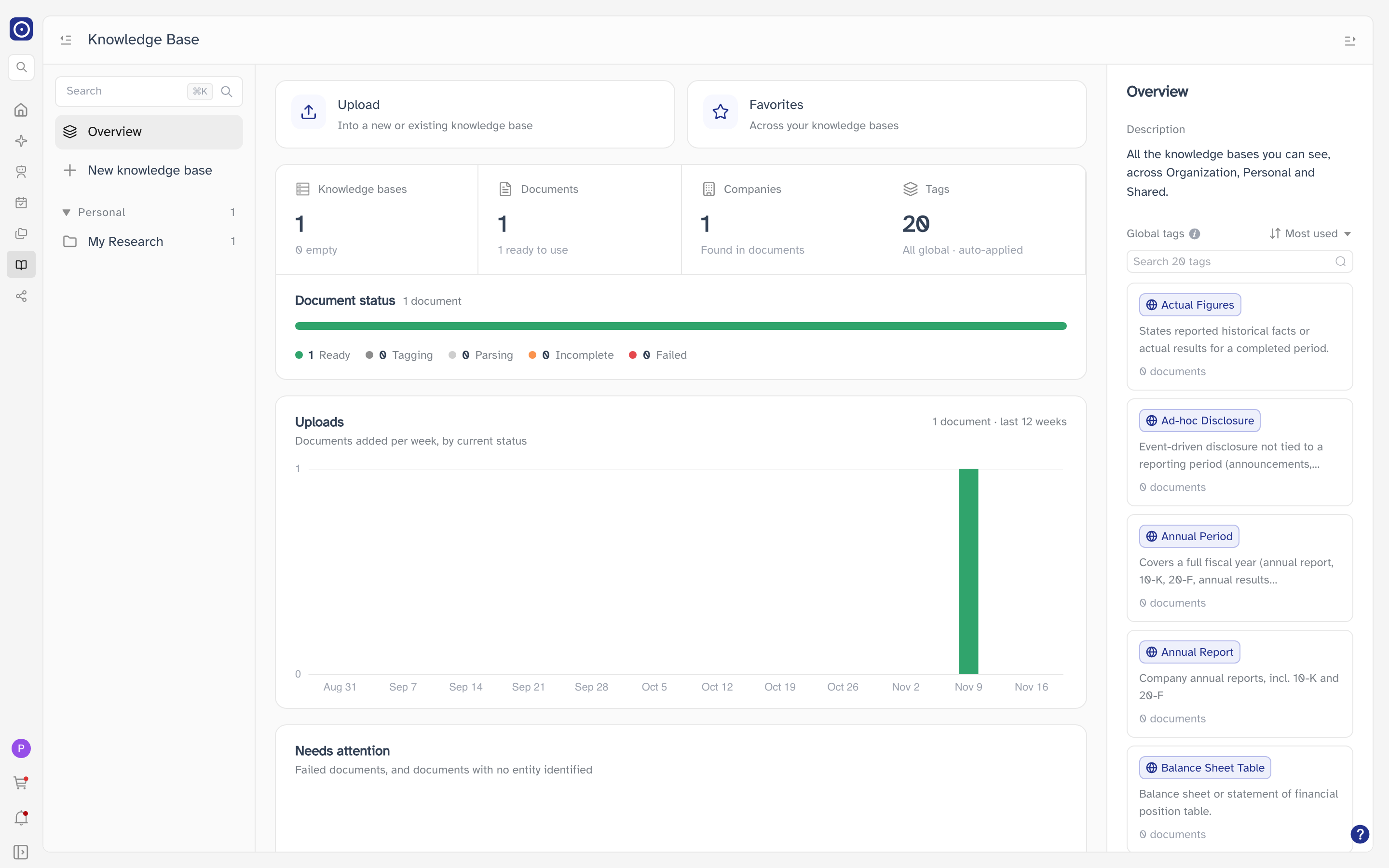
The overview dashboard and its totals cover your Personal knowledge bases only. The description in the details column still reads All the knowledge bases you can see, across Organization, Personal and Shared. — for you, that is just Personal.
Creating a knowledge base
New knowledge base works as usual, with one difference: Personal is the only Scope you can pick. Organization and Shared are greyed out, because both belong to an organisation — Organization knowledge bases are created by its admins, and Shared ones are shared with its members.
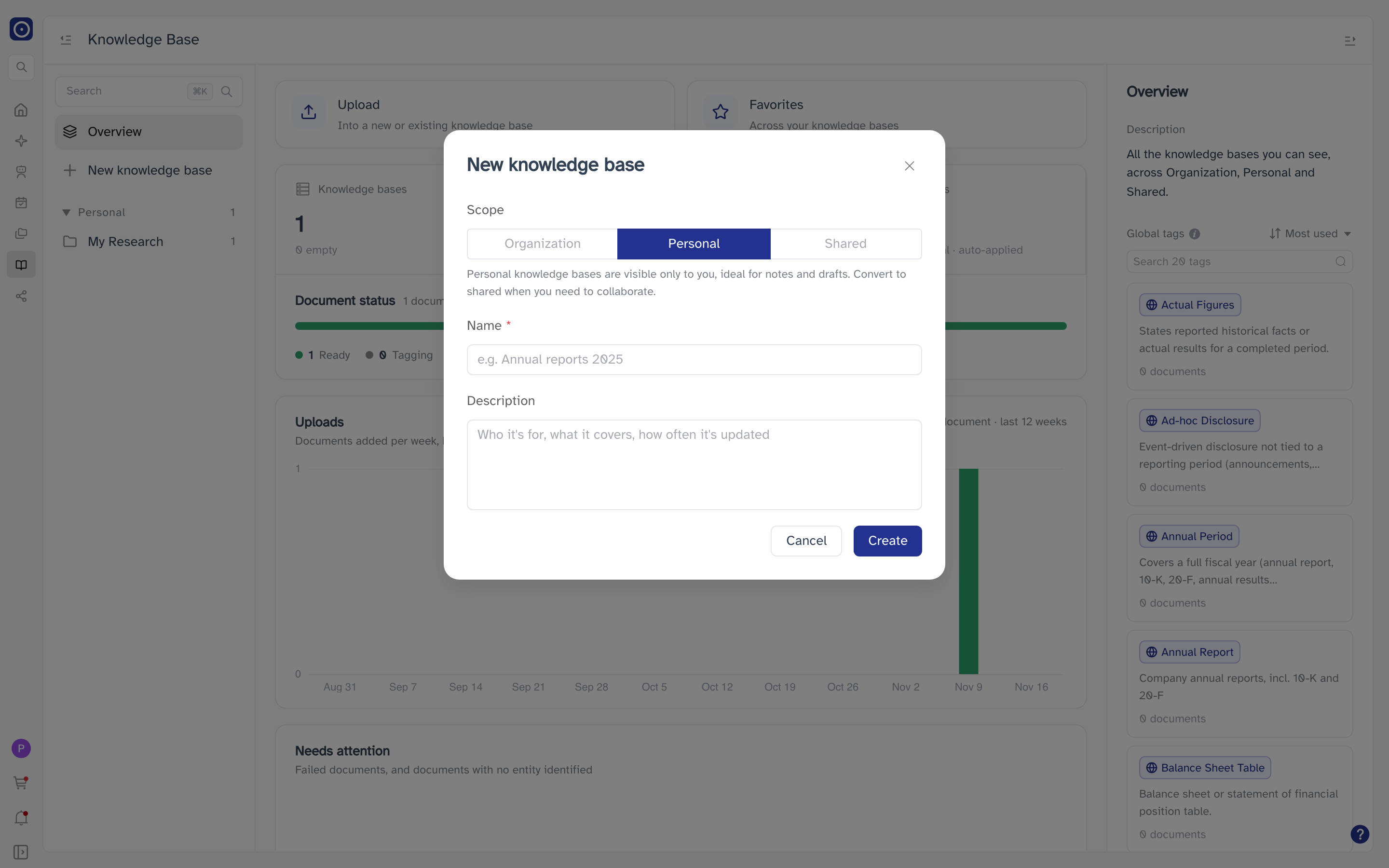
Name and description follow the same rules as in Managing knowledge bases. The sentence under Personal suggests you Convert to shared when you need to collaborate; without an organisation that option is not available — see below.
No sharing
A Personal knowledge base is visible only to you, and without an organisation there is nobody to share it with. So:
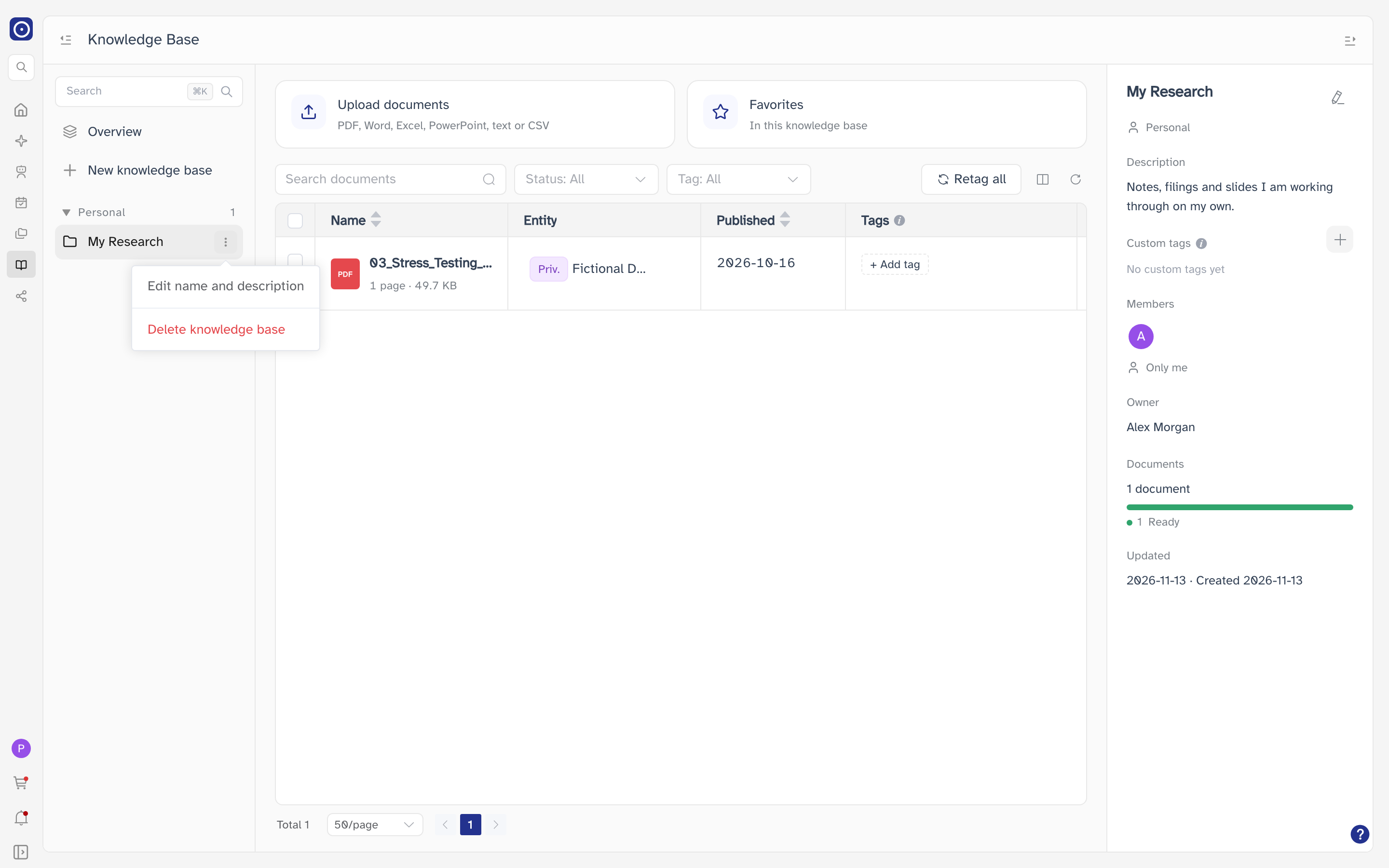
- The ⋮ menu offers Edit name and description and Delete knowledge base, but not Convert to shared.
- Members in the details column shows only you, reads Only me, and cannot be clicked.
- Sharing and members does not apply to you.
Your private entities
Private entities — the companies Orbit does not cover, marked Priv. in the Entity column — belong to you. In an organisation they are shared by everyone in it.
At a glance
| Feature | Without an organisation |
|---|---|
| Knowledge bases | Personal only. You own all of them and can do everything in them. |
| Create | Personal only. Organization and Shared are greyed out. |
| Convert to shared | Not available. |
| Members | Only you; cannot be opened. |
| Private entities | Yours alone. |
| Everything else | The same as in an organisation. |
To share knowledge bases with colleagues, your account has to belong to an organisation. Accounts are added to an organisation by Orbit — contact Orbit if you need this.