A Step Ahead: What's New in Orbit Insight
Posted 11/19/2026
4 min read


A Step Ahead: What's New in Orbit Insight
The platform moves when our clients do. Here is everything new this month.
Orbit is an award-winning investment research platform, and we ship to Orbit Insight continuously. We decide what to build by listening to the investment and data teams who use it every day, so the platform is already there when a client's requirements move.
This month's release is a major one, and every update below is live now.
Teams that mirror how your firm works
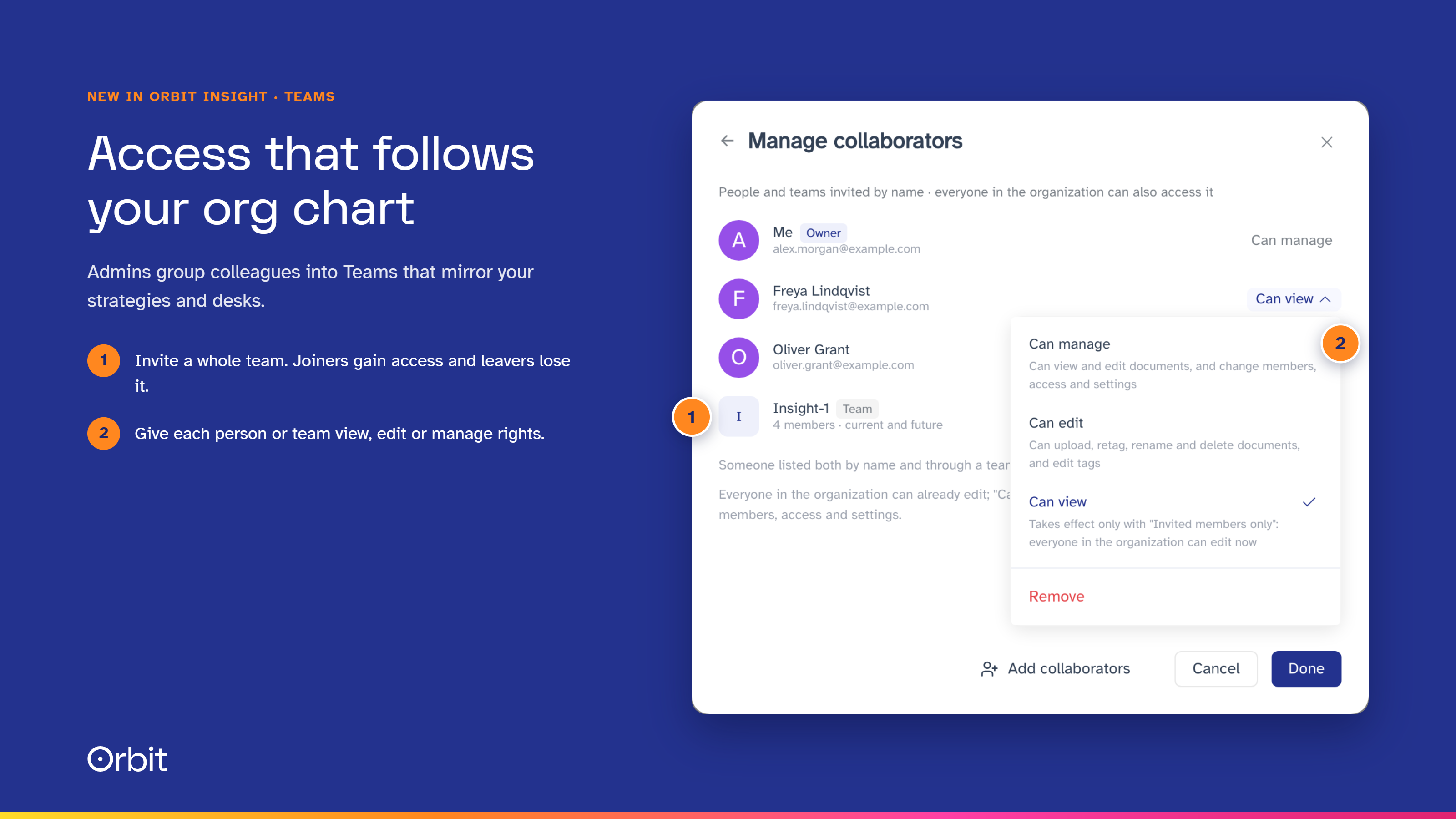
Organization admins can now group colleagues into Teams from User management. Create a team for each strategy or desk, assign people from a dropdown, and the change saves instantly. Each person sits in a single team, so moving an analyst to a new strategy takes a click.
Teams connect directly to the new access controls for Internal data, so access to research follows your org chart.
Internal research, visible only to the people who should see it
Internal data is where firms bring their own documents into Orbit Insight: research notes, meeting notes, spreadsheets and broker research. Orbit reads every upload, identifies the companies it covers, dates it and tags it, so your team can search it and chat with it alongside Orbit's Knowledge Base of filings and transcripts.
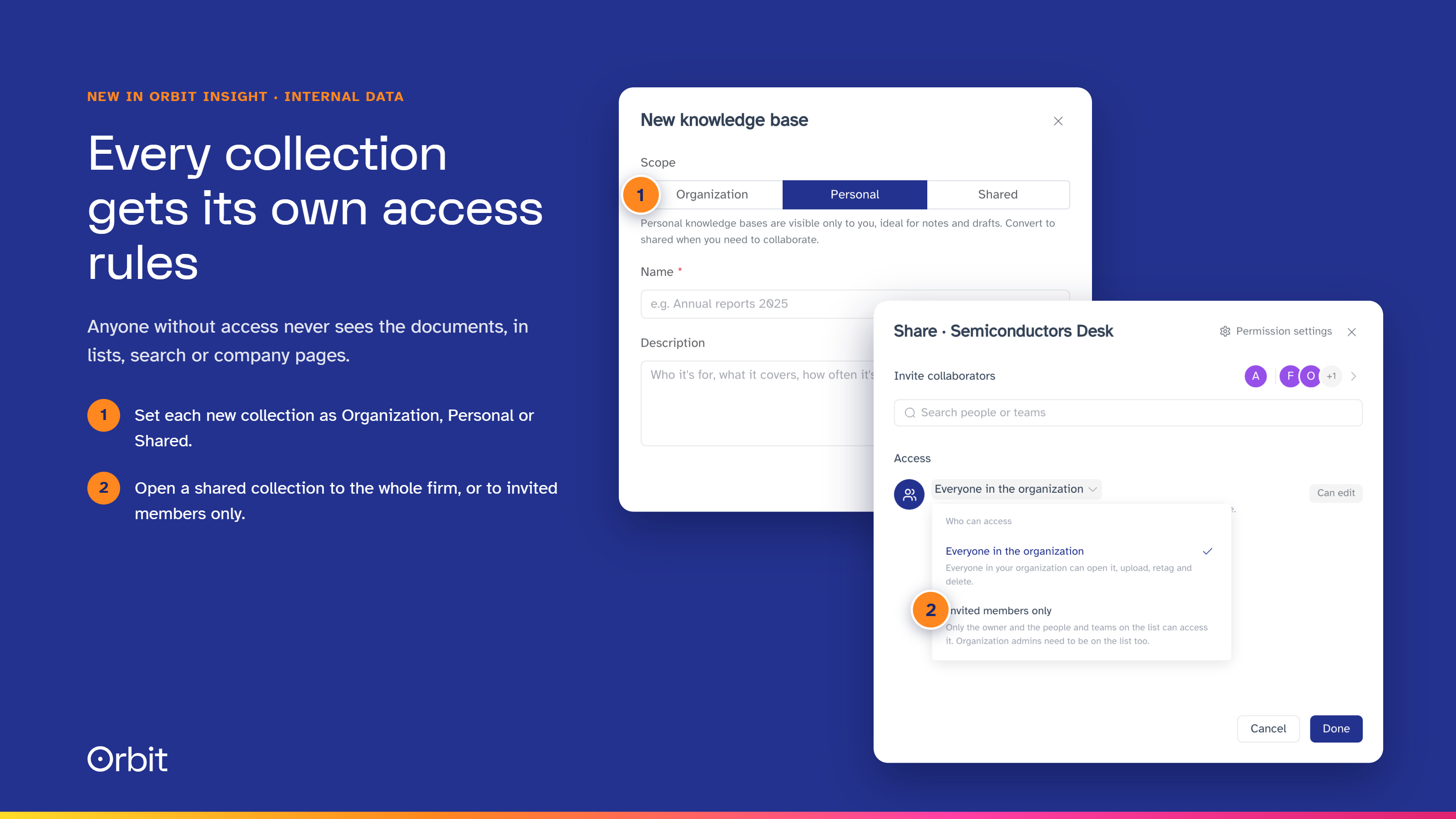
This release adds a full permission system. Each collection of documents is now Organization, Personal or Shared. Organization collections are readable by everyone and managed by admins. Personal collections stay with their owner, and not even admins can see them. Shared collections can be open to the whole firm or limited to the people and Teams you invite, at 3 levels: view, edit or manage.
Invite a team and access stays current: people who join the team gain access, and people who leave lose it. If someone is invited directly and through a team, the higher permission applies. Anyone without access cannot see the collection or its documents anywhere in Orbit Insight, including lists, search, favorites and company pages.
For firms that keep research separate by strategy, more internal material can now come into Orbit Insight, with access matched to your information barriers. Existing clients have nothing to do: all content has been migrated, and the same people see the same documents as before.
A new home for your internal research
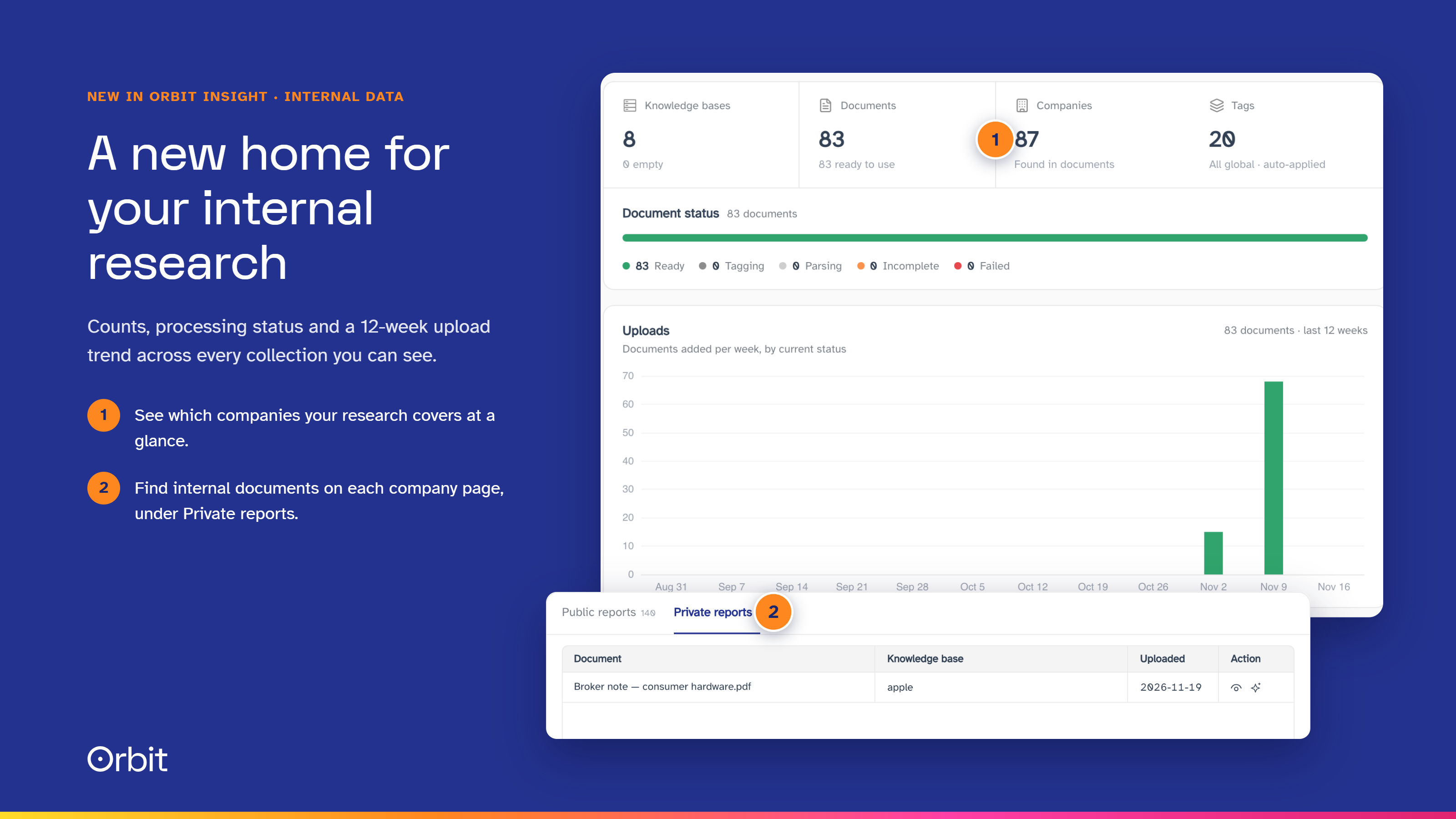
Internal data also has a new interface. An overview dashboard shows document and company counts, processing status, a 12-week upload trend, the documents that need attention and the companies your research covers most. Custom tags in 6 colors, favorites, drag-and-drop upload and Ctrl/⌘ K quick search make a large archive easier to work through.
On every company page, the Private tab in Reports now shows the internal documents tagged to that company that you are allowed to see. Your firm's view of a company and the public record sit on the same page.
A simpler subscription, with credits when you need them
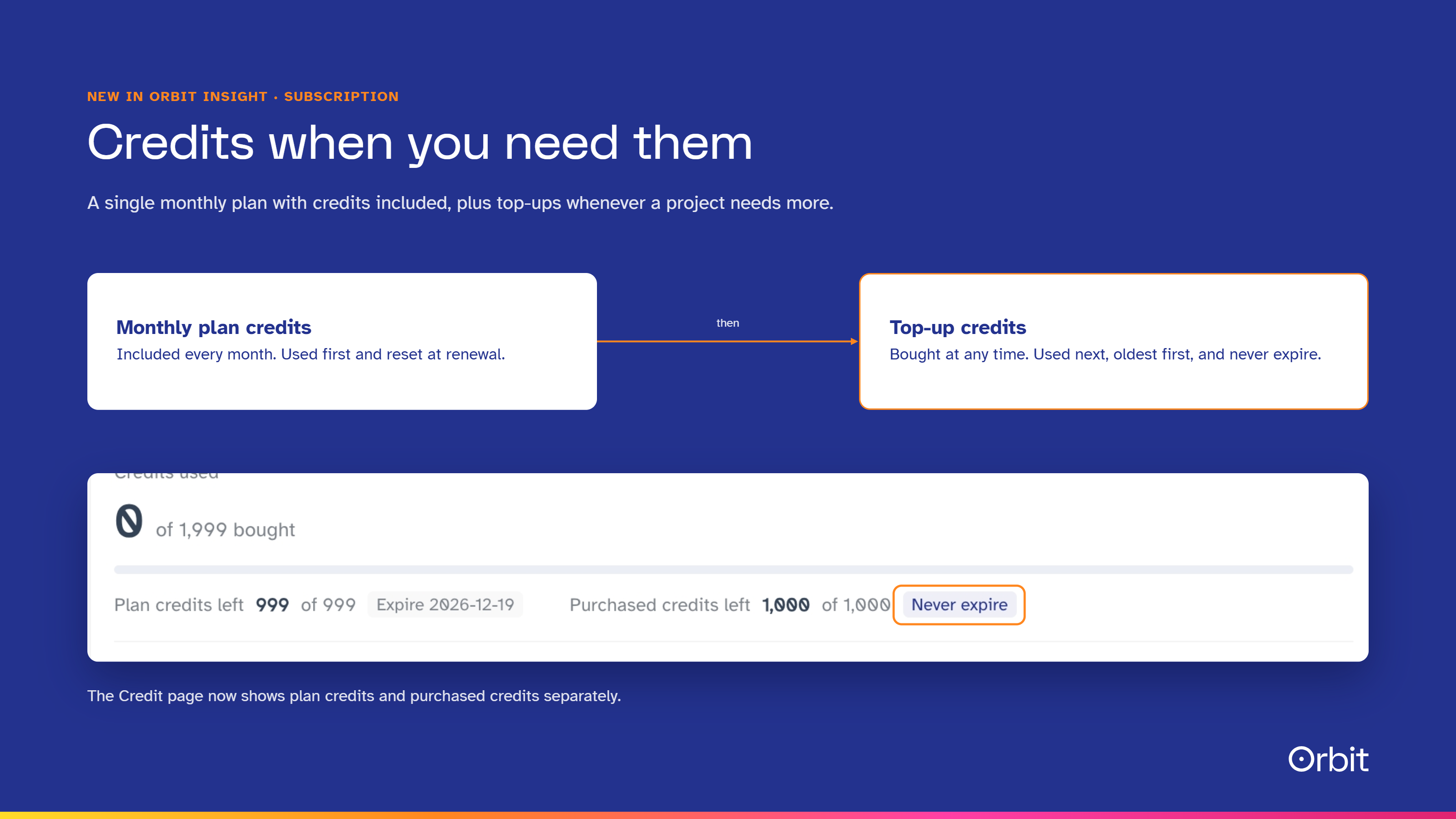
Self-serve access to Orbit Insight is now a single monthly plan with credits included every month. Every subscription covers 75,000+ companies across every document type, with the full available history, updated in real time. It also includes Document Chat, the Orbit Research Agent, Agent Marketplace, and API and Orbit MCP access.
When a project needs more, subscribers can now top up at any time with credit packs that carry volume savings of up to 20%. Purchased credits never expire and stay usable even after a subscription ends. New users start with free trial credits, and any unused credits carry into their first paid month.
Teams of 5 or more move to Enterprise, which adds shared projects and workspaces, custom workflows and integrations, white-glove onboarding with consulting days, a dedicated customer success manager and on-premises deployment. Enterprise credits are managed centrally for the whole organization. Full details are on our pricing page.
See how your firm uses Orbit Insight
The Credit page in Settings has been rebuilt. Your balance now shows plan credits and purchased credits separately, each with its expiry. Billing history shows each period's credits in and out, with every top-up on its own row, and invoices download from the billing portal.
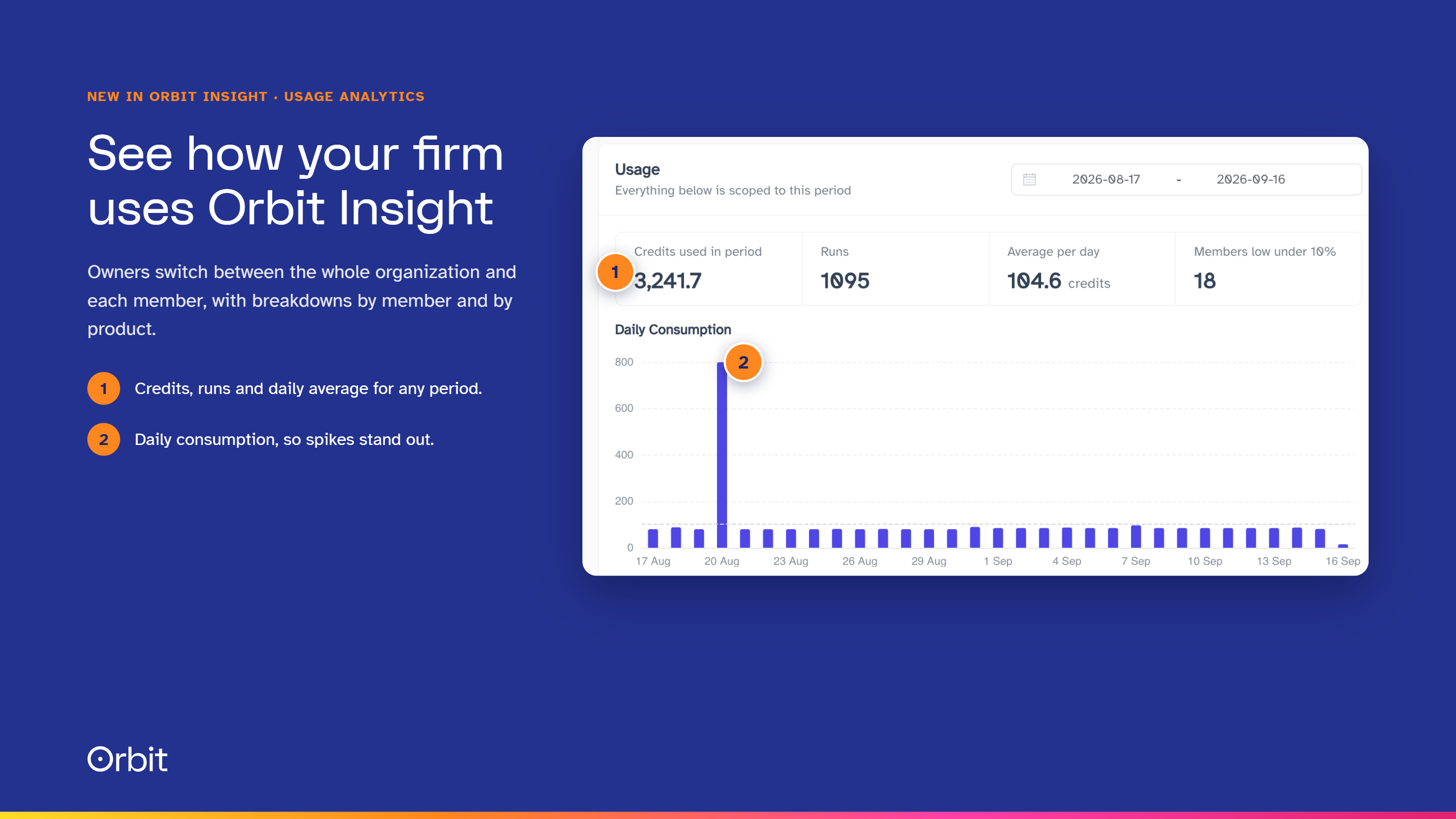
Usage analytics add a daily consumption chart, a breakdown by member and by product, and an estimate of when your balance will run out. Organization owners can switch between the whole organization and each member, and members running low are flagged.
For a firm rolling Orbit Insight out across several teams, it shows which colleagues and which agents are driving usage, and where people need support.
Productive from the first session
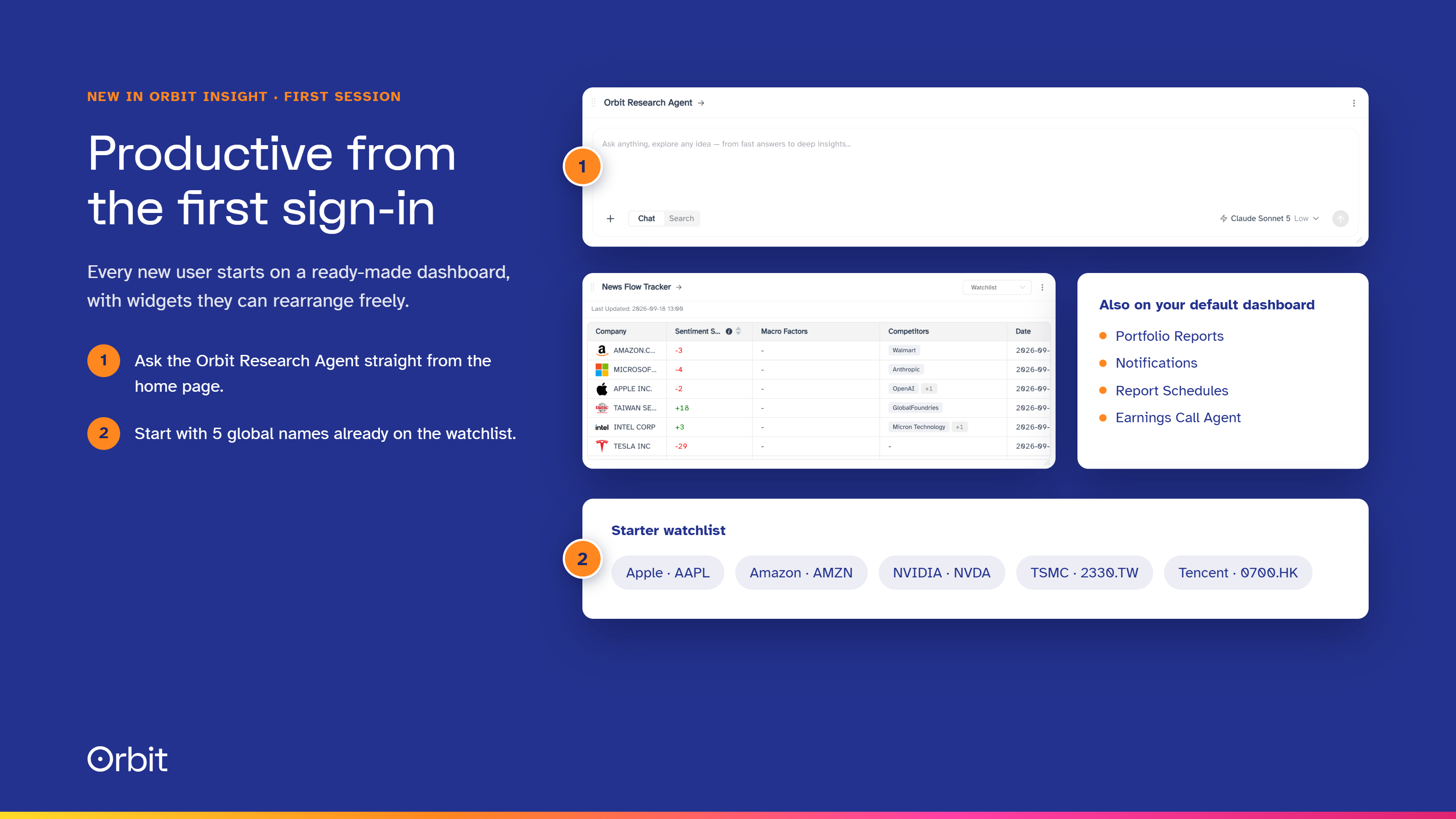
Every new user now starts on a ready-made dashboard. The Orbit Research Agent sits at the top for questions straight from the home page, with Portfolio Reports, Notifications, Report Schedules, the Earnings Call Agent and the News Flow Tracker below it. A starter watchlist covers Apple, Amazon, NVIDIA, TSMC and Tencent.
Users can move, resize or remove any widget and add their own agents from Agent Marketplace. For firms trialing Orbit Insight, analysts see the platform working on real companies from the moment they sign in.
Single sign-on across orbitfin.ai and Orbit Insight
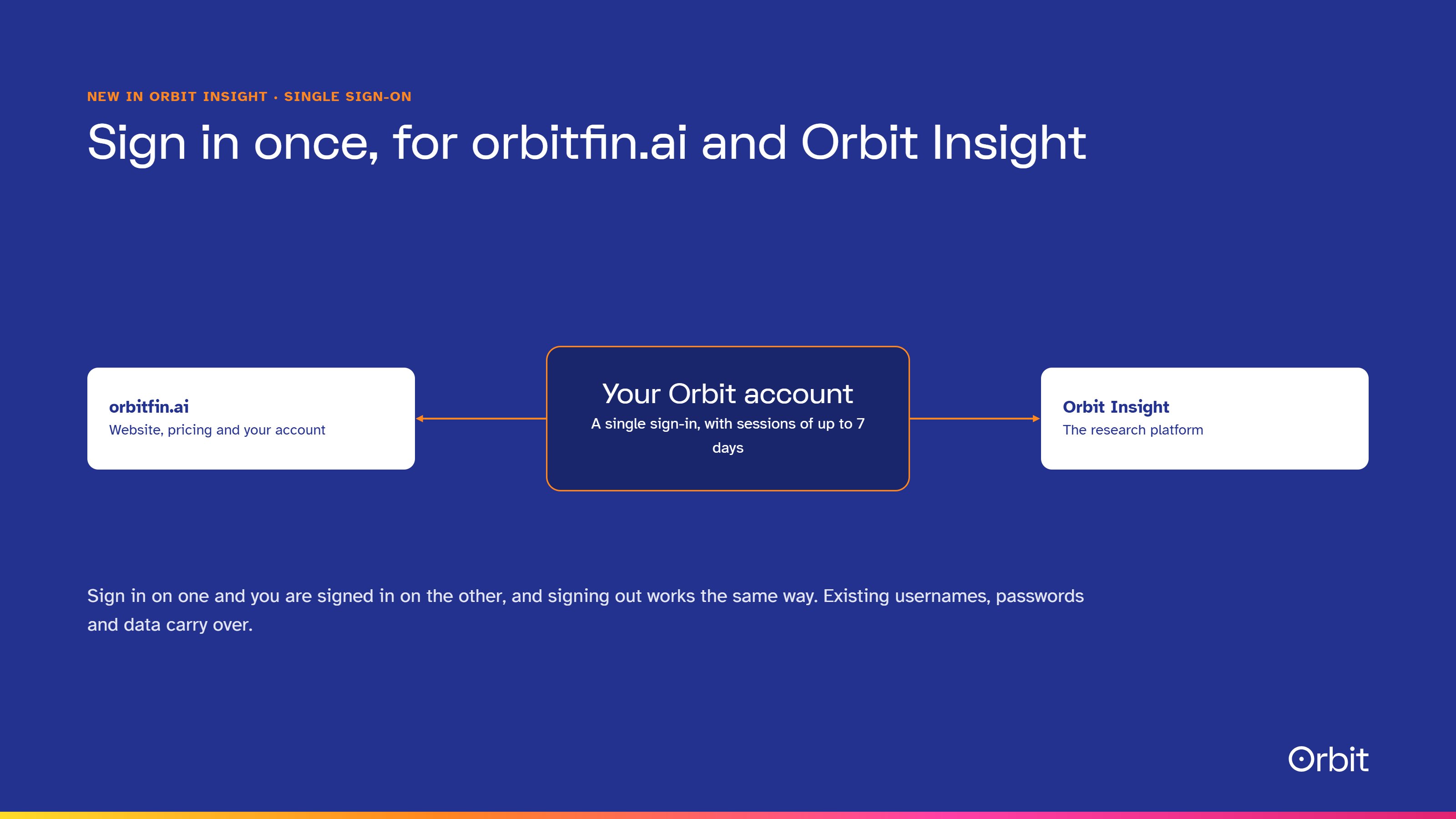
The website and the platform now share a single sign-in. Sign in on one and you are signed in on the other, and signing out works the same way. Sessions last up to 7 days, and anyone signing in from a page such as Pricing returns to that page afterwards.
Existing users keep their username and password. The first time after the update, they sign in once on the new login page, and every dashboard, watchlist, document and chat history is where they left it. Users who signed in with LinkedIn keep using the same button, and anyone who has not yet verified their email will be asked to do so first.
See it on your own research
Existing clients can ask their customer success manager to walk the team through any of these updates. If you are evaluating research platforms, start a free trial or book a demo and we will run them on a portfolio and team structure like yours.
Frequently asked questions
What is new in the latest Orbit Insight release?
Teams for organization admins, permissions for Internal data at view, edit and manage level, a new Internal data interface, a simpler subscription with credit top-ups that never expire, usage analytics, a ready-made dashboard for new users and single sign-on across orbitfin.ai and Orbit Insight.
Can Orbit Insight restrict internal research to specific teams?
Yes. Shared collections in Internal data can be limited to invited people and Teams at view, edit or manage level. Access updates as people join or leave a team, and anyone without access cannot see the documents anywhere in the platform.
Do purchased credits expire?
No. Credits bought as top-ups never expire and stay usable after a subscription ends. Monthly plan credits reset each month and are used first.
Do existing users need to do anything after the update?
Only sign in once on the new login page with their existing username or email and password. All data is kept, and internal research has been migrated with the same access as before.